B2B · trading
Alicohre
Certified-molecule trade, bilingual editorial.
Your agent scaffolds a UI in seconds. fluid gives it a unique brand and motion that actually moves.
Refined on real client sites. Now open for your agent.
Not a black box
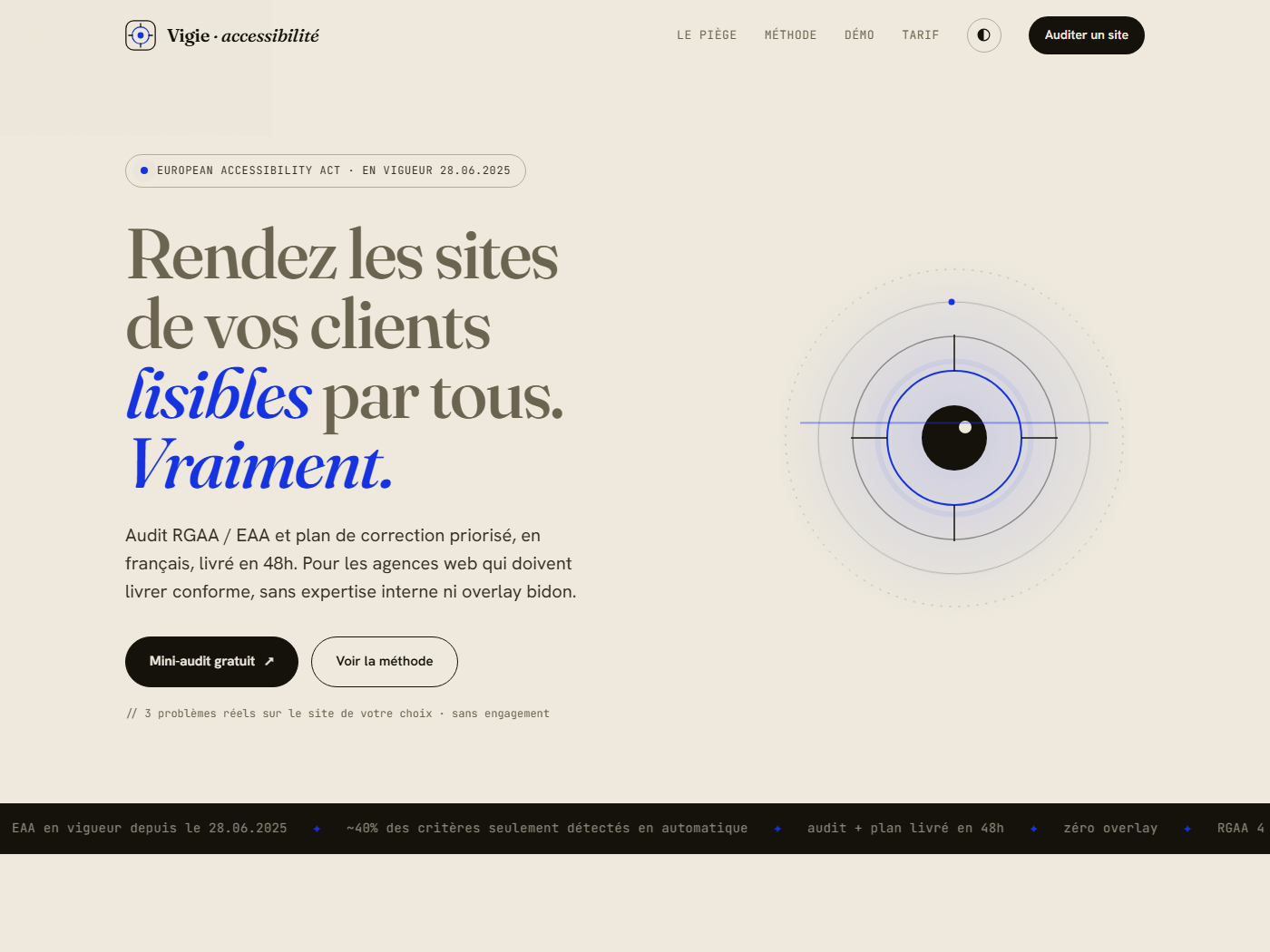
The same machine, every time. Here is one of our own products, Vigie, running through it, start to live.
One system, every mood
Fresh briefs, each one a full landing page rendered in its own DNA. Same rules, no two alike.
"Landing page for Cohort, real-time product analytics for data teams. Precise, fast, trustworthy. Graphite-navy with a rationed cobalt accent. General Sans + Switzer, numbers in mono. Hero with a live dashboard, a logo strip, three features, a dark stats band."
"Landing page for Coastline, slow coastal stays. Warm, unhurried, sun-soaked. Fraunces serif, a terracotta accent, sea-teal on sand paper. Hero with a serif headline, a three-stay grid with warm gradient blocks and per-night prices in mono, an editorial band."
"Landing page for Ironside, a strength-training gym. Bold, athletic, high-energy. Heavy Cabinet Grotesk display, black canvas, a single volt accent, numbers in mono. Hero, a class schedule, three features, a stats band."
"Landing page for Lustre, a clean beauty and skincare brand. Warm minimal, premium. High-contrast Boska serif, lots of air, bronze accent, champagne hairline. Hero, a product hero with ingredients, three features, a brand-story band."
"Landing page for Boop, a habit-tracking app. Friendly, fun, not childish. Claymorphism: puffy shadows, big radii, magenta + yellow + mint on soft pink. Chillax rounded display. Hero with a phone mockup, floating clay shapes, three features, a bright CTA band."
"Landing page for Noir Atelier, a Paris couture house. Dark, quiet luxury. Near-black with a single gold accent and champagne text. Boska serif at large sizes, wide tracking, gold hairlines. Centered hero, a three-silhouette collection, a serif manifesto."
"Landing page for Form, a direct-to-consumer objects store. Confident, editorial, premium. Near-black ink on warm paper, one hot vermillon CTA, prices in mono. General Sans + Switzer, flat. Hero, a six-product grid in tasteful color tiles, a philosophy band."
"Landing page for Domus, a curated premium property studio. Structural, quiet luxury, architectural restraint. Spectral serif, generous whitespace, one stone accent, hairline grid. Hero, a featured-property card, a three-listing grid, an editorial band."
"Landing page for Solstice, a design and technology conference. Bold geometric, festival energy. Rounded Unbounded display, tangerine over grape, blocks of color. Hero, a speaker strip, a ticket CTA, a venue band."
"Landing page for Reverb, a live-music discovery and tickets app. Dark club, electric. Heavy Clash Display, near-black, teal and magenta rationed. Hero, an upcoming-gigs panel with a tiny equalizer, three features, a stats band."
"Landing page for Ember, a seasonal farm-to-table restaurant. Warm editorial, appetite-forward. Fraunces serif on warm paper, tomato accent, basil secondary. Hero, a menu-highlight list with prices in mono, a reservation CTA, a provenance band."
"Landing page for Roast, a specialty coffee roaster and subscription. Warm craft, cozy. Fraunces serif, golden honey accent, toasted browns. Hero, a featured-bean card with tasting notes, three subscription tiers, a sourcing band."
"Landing page for Terra, an interior architecture studio. Structural, warm, editorial. Charcoal and warm tan on bone with a hairline drawing-sheet grid, Spectral italic over Switzer. Hero like a specification sheet with a sunlit interior photograph, a numbered project index, a quiet band."
"Landing page for Sereno, a private island resort and spa. Serene, expensive, quiet. Deep emerald on ivory with gold hairlines, Fraunces serif over Switzer. Centered editorial hero with a golden-hour overwater villa, a stay collection, a serif manifesto band."
"Landing page for Bloom, a hand-potted houseplant shop. Botanical, fresh, warm minimal. Leaf green rationed against terracotta on cream, Fraunces over Switzer, prices in mono. Hero with a plant in an arched frame, a six-tile product grid, a philosophy band."
"Landing page for Summit, guided alpine expeditions. Cold, crisp, cinematic. Glacier blue against safety orange on snow, Cabinet Grotesk over Switzer, figures in mono. Hero with a sunrise peak photo, a three-trip grid graded by difficulty with altitudes and prices, a stats band."
"Landing page for Margin & Co., an independent long-form reading magazine. Literary, calm. Swiss-editorial: Zodiak serif over Switzer, hairline rules, one terracotta accent on warm paper. Big serif hero, a three-essay row, a quiet subscribe band. Type-led."
"Landing page for Sovern, a self-custody crypto wallet. Calm, secure, engineered. Dark, a rationed orange accent, mint for positive states. Cabinet Grotesk + Switzer, all numbers mono tabular. Hero with a balance panel and sparkline, three features, a security band."
"Landing page for Anara, a modern primary-care telehealth service. Calm, clinical, human. Teal dominant, a rationed coral, pale mint paper. General Sans + Switzer, rounded cards, soft shadows. Hero with an appointment card, three features, a trust band."
"Landing page for Quanta, an AI pair-programmer. Minimal, precise, native. Dark teal with one cyan-mint accent. General Sans + Switzer + mono. Hero with an editor panel showing a prompt and a production code diff, three features, a stats band. Rationed glow, never neon-everything."
"Landing page for Lumio, an online learning platform for serious self-learners. Editorial-academic, warm, trustworthy. Fraunces serif over Switzer, academic navy with one gold accent. Hero, a course-card visual, three features, a stats band."
"Landing page for Vertex, an esports tournaments platform. Dark arena, precise. Heavy display, near-black, one rationed neon-green accent, mono stats. Hero, a live-match panel with a bracket, three features, a stats band."
"Landing page for Relay, a CI/deploy pipeline dev tool. Dark, engineered, terminal-adjacent. Rationed rust accent, teal for success, code panels in mono. Hero, a pipeline panel with green checks, three features, a stats band."
"Landing page for Solhaus, residential solar installed simply. Organic-clean, optimistic. Calm green dominant, one solar-gold accent, warm paper. Hero, a savings chart that draws itself, a three-step how-it-works, a stats band."
"Landing page for Counsel, a modern law firm and legal-ops platform. Heritage, serious, trustworthy. Newsreader serif gravitas, deep maroon, mustard accent, gold hairline. Hero, a matter panel with mono references, three features, a trust band."
"Landing page for Common, a community nonprofit funding local projects. Trustworthy, clear, high-contrast accessible. Strong hierarchy, green dominant, blue for emphasis. Hero, a donation-meter that counts up, three features, an impact band."
"Landing page for Cadence, an async standup tool that replaces the daily meeting. Calm, light, focused. Indigo accent on soft periwinkle paper, General Sans with Switzer, figures in mono. Hero with a Today feed of teammate updates, status pills, a completion ring, three features, a stats band."
"Landing page for Halo, an AI meeting notetaker. Minimal, precise, calm. One rationed violet on near white, General Sans with Switzer and mono. Hero with a live transcript panel, speaker labels and auto-extracted action items, three features, a stats band."
"Landing page for Verde, a patient long-term investing app. Calm, trustworthy. Forest green with mint on cream, General Sans with Switzer, all figures mono tabular. Hero with a portfolio panel, a self-drawing area chart and three holdings, three features, a stats band."
"Landing page for Mendr, online therapy matched to the person. Soft, warm, human. Plum warmed by peach on blush paper, Fraunces italic with Switzer. Hero with a matched therapist card showing fit and a free first session, soft blurred shapes, three features, a trust band."
"Landing page for Levain, an artisan bakery and patisserie. Warm, appetite-forward, craft. Raspberry accent and butter glow on cream, Fraunces over Switzer, prices in mono. Hero with a photo of fresh pastries beside a daily counter board, three features, a sourcing band."
"Landing page for Vesper, a niche fragrance house. Dark, sensual, expensive. Deep plum and silver on smoke with champagne text, Boska serif over Switzer, wide tracking. Hero with a frosted bottle under champagne rim light, a scent collection, a serif manifesto band."
Showing 6 of 32 demos
The engine, not a template
Every identity starts from a curated library, then commits and adapts. That is why two clients in the same sector never collide.
Motion is the fluid part
scale(0) + linear. It pops out of nothing, mechanical.
scale(.96) + blur, house easing. It grows from presence, alive.
The same rules, isolated
Deterministic, no API calls. It flags the top slop tells with line numbers and a CI exit code: AI-purple gradients, transition: all, scale(0), pure black, and more.
The catalogue
The 22 deterministic checks the detector runs. For each one, the cliché it forbids and the fix it points you to. No model, no API, just rules with line numbers.
✗ transition: all animates every property, layout included.
→ Name what moves: transition: transform .2s, opacity .2s.
✗ Transitioning width, height, top or left forces reflow and stutters.
→ Move and resize with transform instead.
✗ ease-in starts slow, so an entrance feels laggy.
→ Enters use ease-out, the house cubic-bezier(.22,1,.36,1).
✗ scale(0) makes an element appear out of nothing.
→ Start near scale(.93) so it grows from presence.
✗ Over 1200ms drags on anything you trigger often.
→ Micro-interactions 150 to 250ms, reveals can run longer.
✗ A negative control point is the dated anticipate bounce.
→ Use a real spring, cubic-bezier(.34,1.4,.5,1).
✗ Inter, Roboto or Arial as the primary face is the top AI tell.
→ Pick a face with character, keep those only as fallbacks.
✗ The purple to violet gradient is the default AI-app look.
→ Commit to a brand palette and ration a single accent.
✗ Pure #000 reads harsh and generic.
→ Use a tuned near-black like #0e1326.
✗ Emoji in markup render differently on every platform.
→ Use an SVG icon set, or a drawn one for signature work.
✗ An Aceternity, Magic UI or 21st block shipped verbatim.
→ Keep the structure, reskin with your tokens and motion.
✗ Space Grotesk is the display face AI keeps reaching for.
→ Pick a heading face with more specific character.
✗ Gradient-clipped text on everything is a tell.
→ Ration it to a single hero word, or use a solid color.
✗ Justified text opens rivers of whitespace on the web.
→ Left align.
✗ Text under 10px is hard to read.
→ Keep the smallest label around 11 to 12px.
✗ An em dash or en dash in the copy. The house style bans them.
→ Use a comma, a period or a colon.
✗ Tracking tighter than -0.04em crushes the letters together.
→ Headings -0.02 to -0.03em, body at 0.
✗ Supercharge, seamless, empower: filler that says nothing.
→ Say the specific thing the product does.
✗ Zero-padded section numbers (01, 02, 00 / INDEX) used as eyebrows.
→ Let the section titles carry themselves, drop the markers.
✗ A small label or pill chip sitting right above the h1.
→ Fold the kicker into the headline, or drop it.
✗ A fixed font-size of 120px or more that does not scale.
→ Use a responsive clamp() for the hero.
✗ The project animates but has no reduced-motion path anywhere.
→ Add @media (prefers-reduced-motion: reduce).
Six skills, one system
Each skill owns one job. Install the whole suite, or just the one you need.
A unique brand per brief, drawn from a 108-palette database, then committed.
-s design-systemThe house motion language plus a deterministic, dependency-free detector.
-s fluidAudit an existing site and ship a fresh identity, keeping content and SEO.
-s redesignPremium brand reference images, logo boards, mockups, with any model.
-s brandkit20 named refine moves, from typeset to polish, each wired to the system.
-s refineThe last gate: no placeholders, every interactive state, the brief honestly met.
-s outputAnd refine turns "make it better" into precise moves you call by name:
Works with every agent
Plain SKILL.md files and pure CSS tokens, no runtime. The whole suite runs in any framework, or none.
Get started
Stop shipping slop. Install fluid and let every build flow from one honest system.